Featured brands
The Featured brands section brings together logos of manufacturers, partners or lines sold by the store. Each logo can have its own image and link.
Available presets
Section titled “Available presets”- Grid — six logos per desktop row and two on mobile, without carousel behavior.
- Automatic slide — starts with five visible desktop logos and two mobile logos, in continuous motion.
- Manual slide — starts with four visible desktop logos and two mobile logos, with previous/next navigation.
All three presets start with six logo blocks. Example images make each option’s quantity, height and composition visible before real content is registered.
How to configure it
Section titled “How to configure it”- In the new editor (Brand Editor), add a Featured brands variation.
- Open Brands to choose layout, show/hide borders and adjust size, height, visible quantity and spacing on desktop and mobile.
- Open each Logo block to enter the image and corresponding link.
- Save and check the section at both screen sizes.
In Manual slide, each click advances one logo until the end of the list; hover subtly shifts the logo and highlights controls. In Automatic slide, hover only applies a simple background inversion, and motion can be paused/resumed through the strip’s control. If the device is configured to reduce motion, animation is disabled and logos remain accessible through horizontal scrolling.
Configuration and result
Section titled “Configuration and result”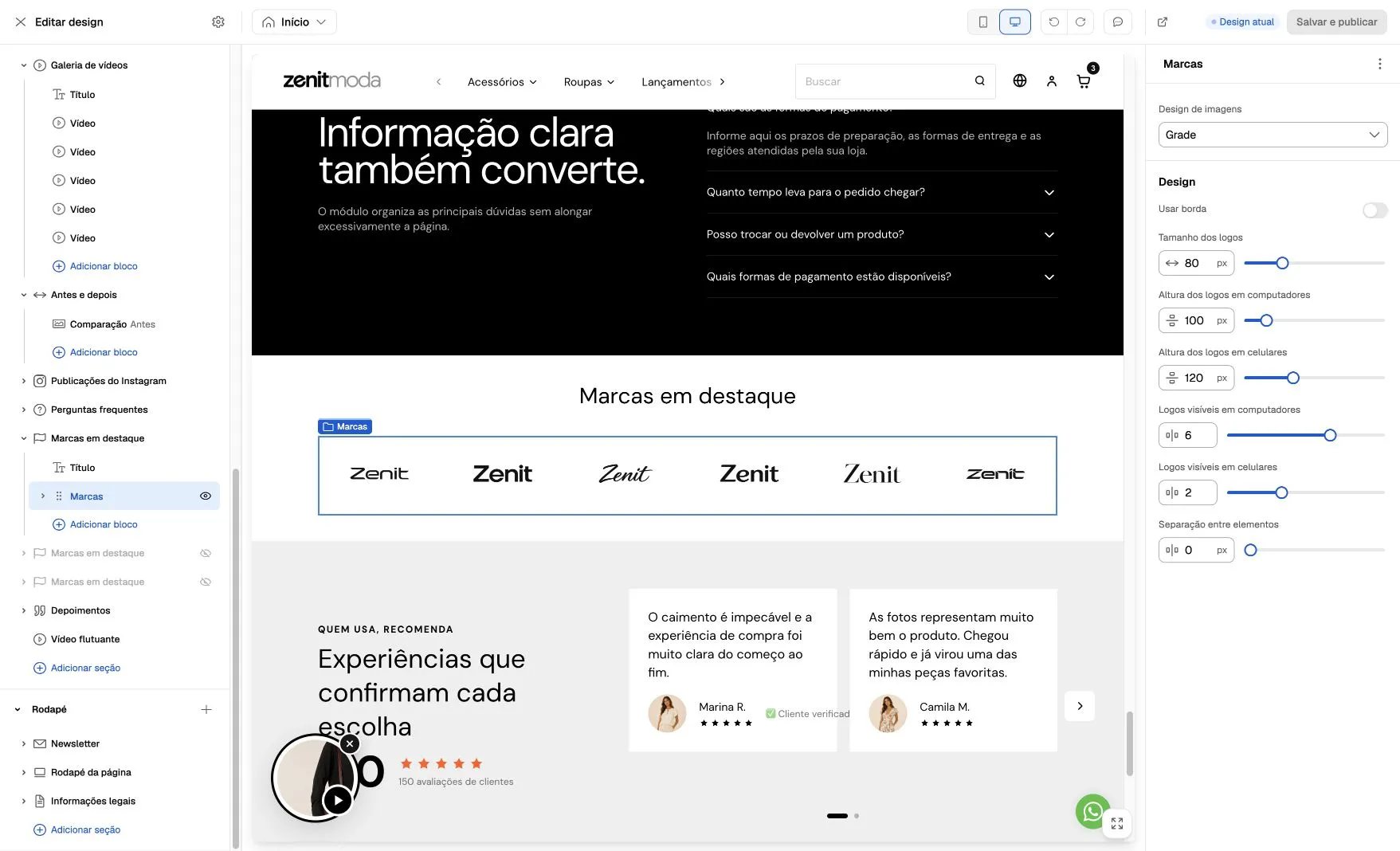
Screenshot from October 6, 2026. The example uses Image design → Grid, six logos on desktop and two on mobile. The panel helps identify which controls belong to the logo group; each brand’s image and link are edited in its corresponding Logo block.
Before publishing
Section titled “Before publishing”- Use files with transparent areas and similar visual margins.
- Check whether each link opens the correct brand or collection page.
- Adjust height separately if logos become too small on mobile.
- Avoid visible quantities greater than the number of registered logos.