Shipping calculator
What it does
Section titled “What it does”Calculates shipping options from the postal code (CEP) entered by the customer on the product page and/or in the cart.
Where to configure it
Section titled “Where to configure it”On the product page, check the Shipping calculator in the granular composition’s form or shipping options in the Options and purchase block in older compositions. The cart calculator depends on its own configuration; enabling the product page calculator does not guarantee that both are visible.
In the product information block, the style can be With card or Without card. This option changes only the calculator’s visual presentation.
Expected behavior
Section titled “Expected behavior”- A postal code entered on the product page can synchronize with the cart (and vice versa) when both are active.
- Results depend on the store’s shipping configuration in the Nuvemshop admin, not on the theme.
Lookup results
Section titled “Lookup results”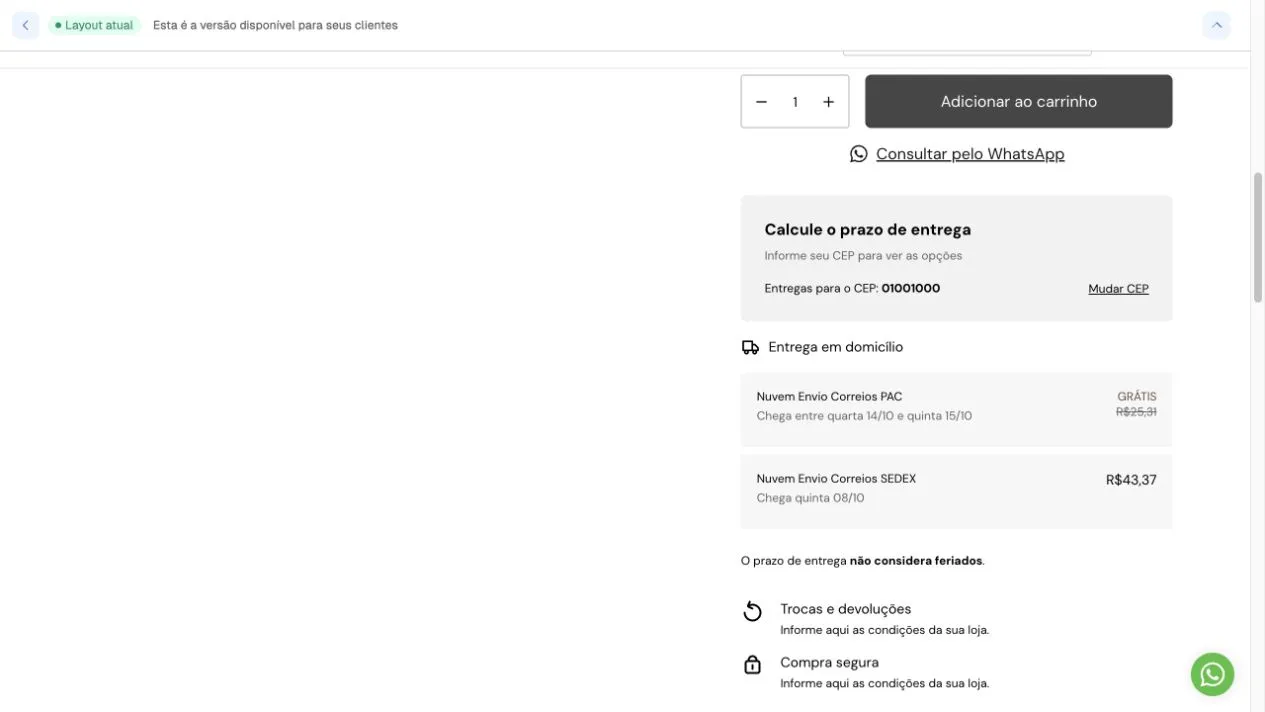
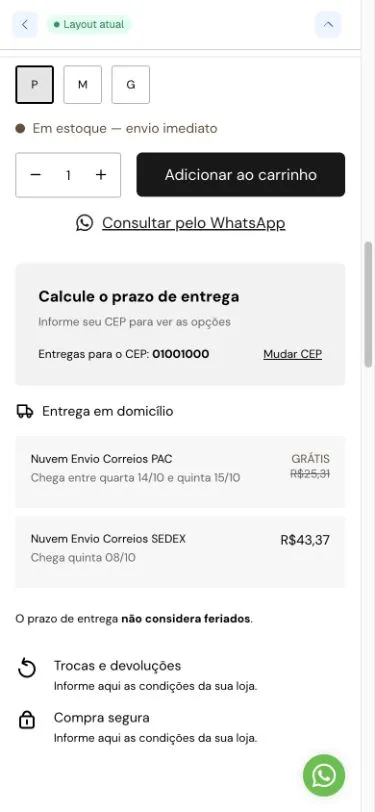
Screenshots from October 6, 2026. The demonstration store displays shipping in a card with PAC/SEDEX results. Postal code, prices, free shipping and delivery times are examples from that lookup, not theme conditions. To compare a support case, also record the product, its variant and the queried postal code.
- Test with a valid postal code in the store’s delivery region.
- Free shipping configured on the platform is reflected in theme totals and badges.